This guide explains how IntelliMate displays syntax-highlighted code in AI-generated responses and why that makes code easier to read, review, and reuse.
1. What code highlighting does
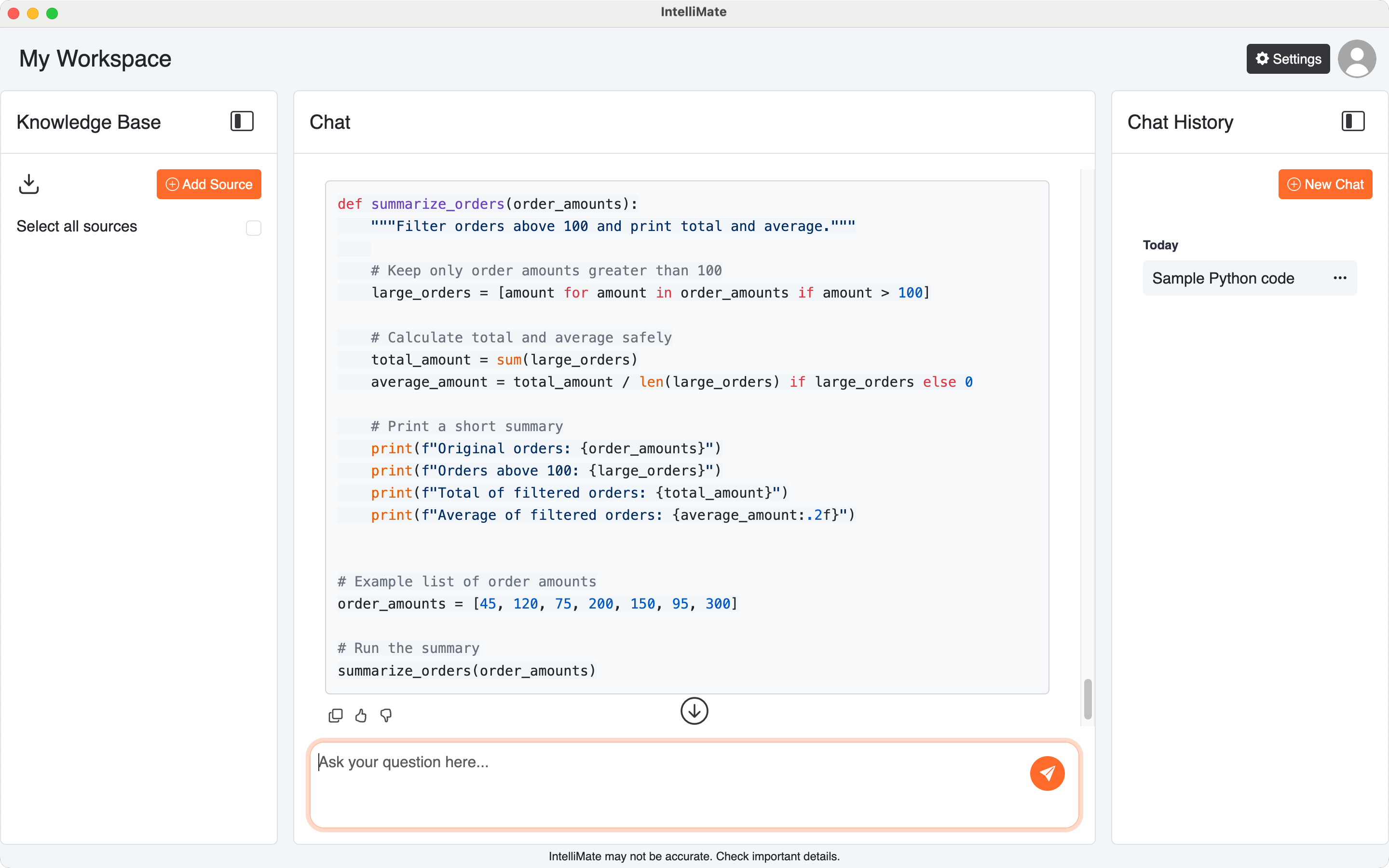
When IntelliMate returns code in an AI response, code blocks are displayed with syntax highlighting instead of plain text.
This improves readability by making structure easier to scan, separating keywords from strings and comments, and making longer code examples easier to understand.
2. When you will see it
You may see syntax highlighting when IntelliMate answers with:
- source code examples
- scripts and command-line snippets
- configuration files
- markup and structured text
- queries and database examples
This is especially useful when you ask IntelliMate to explain, revise, compare, or generate technical content.
3. Common languages and formats
IntelliMate supports syntax highlighting for commonly used languages and formats, including:
- JavaScript
- TypeScript
- Python
- Java
- Go
- Rust
- Bash / Shell
- HTML / XML
- CSS
- SCSS
- JSON
- TOML
- YAML
- SQL
- Dockerfile
- Markdown
- Plaintext
4. Other supported languages
IntelliMate also supports many additional languages and formats, such as:
- C
- C++
- C#
- Dart
- Kotlin
- Swift
- PHP
- Ruby
- PowerShell
- Perl
- Scala
- Lua
- GraphQL
- Terraform (HCL)
- Protocol Buffers
Exact availability may vary slightly depending on how IntelliMate is packaged and updated over time.
5. Why this is useful in IntelliMate
Syntax highlighting makes technical responses easier to review when IntelliMate:
- explains code line by line
- suggests fixes or improvements
- generates scripts or configuration snippets
- returns SQL, JSON, YAML, or markup examples
- helps compare two technical implementations
It also helps reduce mistakes when you copy a code example into your own tools or project.