This guide explains how to choose the right IntelliMate plan, how to upgrade, how billing is handled, and how to cancel your subscription in the app.
1. Choosing between Free, Plus, and Pro
Choose the plan that matches how often you work with documents and how much monthly capacity you need.
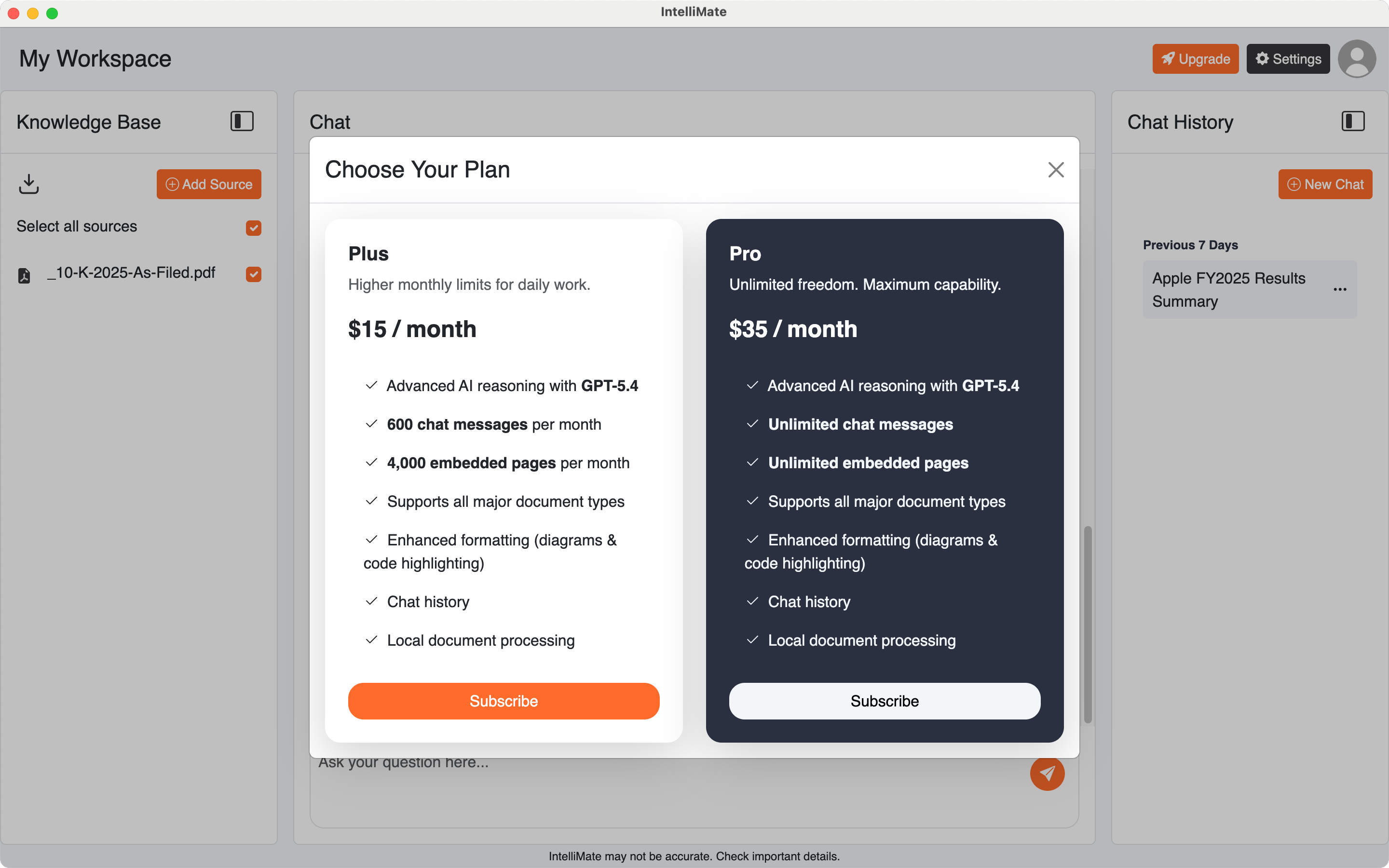
- Free: 20 chat messages and 400 embedded pages per month.
- Plus: 600 chat messages and 4,000 embedded pages per month for daily work.
- Pro: unlimited chat messages and unlimited embedded pages for the highest-capacity use.
All three plans include advanced reasoning, chat history, enhanced formatting, and local document processing.
2. How to upgrade your plan
You can upgrade your plan inside IntelliMate at any time.
- Click the Upgrade button in the top right corner of the app.
- You can also open Settings, go to the Subscription tab, and upgrade from there.
- Choose the plan you want and complete checkout.
This is the easiest way to move from Free to Plus or Pro.
3. Upgrading from Plus to Pro
IntelliMate does not currently support a direct upgrade from Plus to Pro.
If you are currently on Plus and want Pro, follow these steps:
- Cancel your Plus subscription first.
- Keep using Plus until the current billing period ends.
- After that period ends, your plan will downgrade to Free.
- Once you are back on Free, you can upgrade to Pro.
This extra step is only needed when moving from Plus to Pro.
4. How billing and payments work
IntelliMate uses Stripe for subscription and card payment processing. Stripe is a leading global payments platform and is certified as a PCI Service Provider Level 1, the most stringent certification level in the payments industry. Your payment details are processed through Stripe’s payment infrastructure, not stored on our servers.
5. How to cancel your subscription
You can cancel anytime in the app:
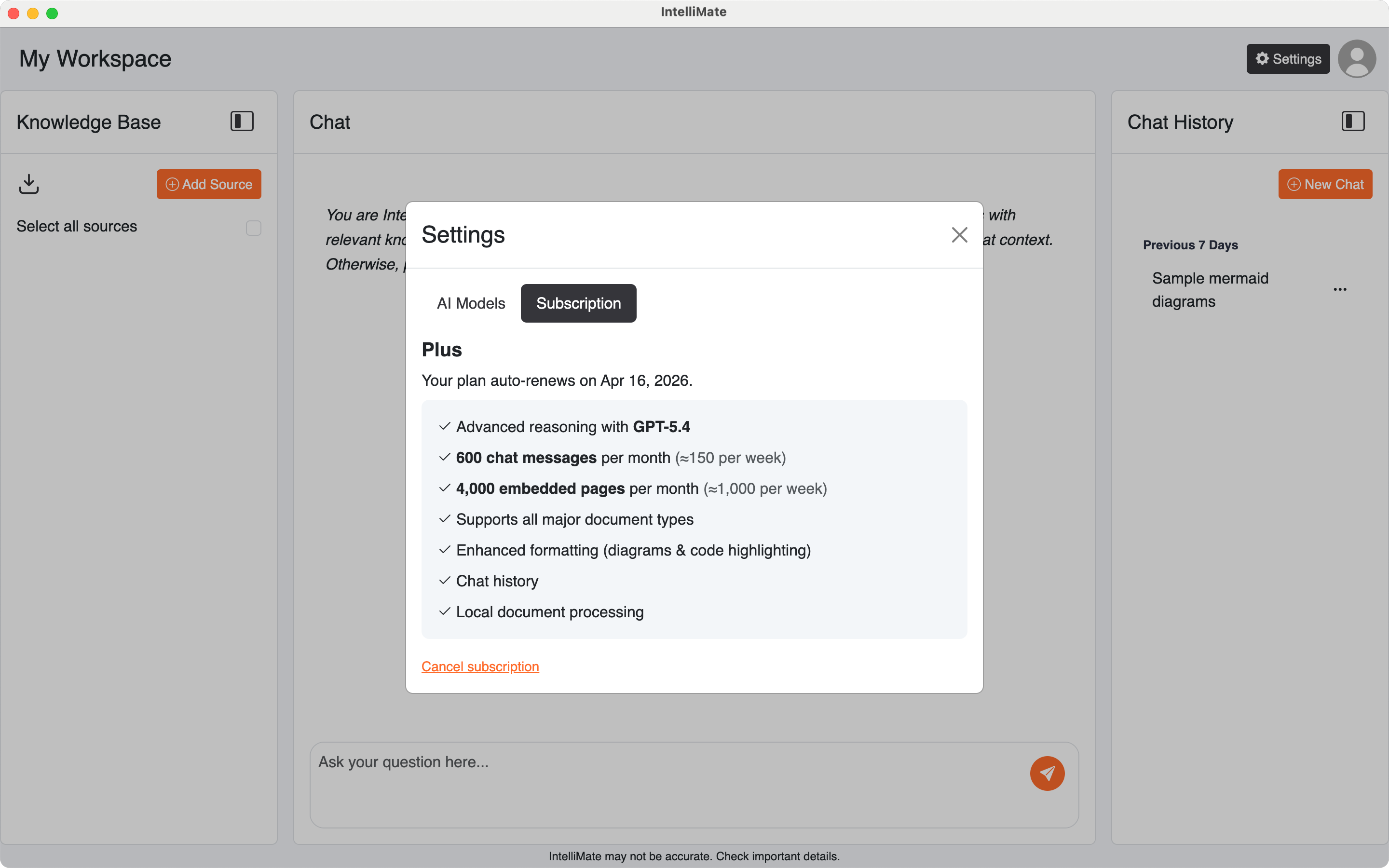
- Open Settings
- Go to the Subscription tab
- Click Cancel subscription
Your subscription will remain active until the end of the current billing period.
6. When it makes sense to upgrade
Stay on Free if you are still trying IntelliMate or using it occasionally. Move to Plus when it becomes part of your regular workflow. Choose Pro when you need the highest capacity for larger or more frequent workloads.
If you want to understand the product first, start with Getting started or How advanced reasoning works.