This guide explains how IntelliMate displays Mermaid diagrams in AI-generated responses and how they can help you understand ideas, processes, and interactions more clearly.
1. What Mermaid is
Mermaid is a text-based diagram format. Instead of drawing shapes manually, you describe a diagram with simple structured text and it is rendered visually.
This makes diagrams easier to create, revise, and reuse in AI responses. You may also sometimes see the AI mention Mermaid directly when it provides a diagram.
In IntelliMate, Mermaid diagrams can appear directly inside the chat so you can review them without switching to another tool.
2. What this means in IntelliMate
IntelliMate can display Mermaid diagrams directly inside AI responses instead of showing them only as plain text.
This helps you understand workflows, sequences, decisions, timelines, and relationships at a glance.
Diagram support is especially useful when you ask IntelliMate to explain a process, visualize a flow, compare steps, or show how people or systems interact.
3. Common diagram types
IntelliMate supports many commonly used Mermaid diagram types, including:
- Flowcharts: process flows, user journeys, decision trees, approval flows, and step-by-step workflows
- Sequence diagrams: interactions between people, apps, services, and systems over time
- Class diagrams: object structure and relationships in software or system design
- State diagrams: status changes, lifecycles, and transitions between states
- Entity relationship diagrams: entities and relationships in a database or structured data model
- User journey diagrams: stages, actions, and experience flows from a user perspective
- Gantt charts: schedules, milestones, project phases, and planned tasks
- Pie charts: simple category breakdowns
- Quadrant charts: comparisons across four areas
- Mindmaps: idea grouping and topic expansion
- Timeline diagrams: events arranged over time
- Git graphs: branch and merge history
- Block diagrams: major parts of a system and how they connect
- Architecture diagrams: system structure and component relationships
The most common ones for everyday use are usually flowcharts and sequence diagrams.
4. When you may see Mermaid diagrams
You may see a Mermaid diagram in IntelliMate when you ask for:
- process flows or step-by-step workflows
- decision logic
- interactions between people or systems
- timelines or schedules
- journeys or stage-based experiences
- structured relationships between data or components
In some responses, IntelliMate may show a rendered diagram, and in others, the AI may also include the Mermaid text that describes it.
5. Example prompts you can try
Here are some example prompts you can use in IntelliMate to generate popular Mermaid diagrams using familiar everyday topics.
Flowchart examples
- Draw a Mermaid flowchart for ordering food delivery online.
- Create a Mermaid flowchart for an online shopping checkout process.
- Show a Mermaid decision flowchart for choosing a university course.
- Draw a Mermaid flowchart for how a customer returns a product.
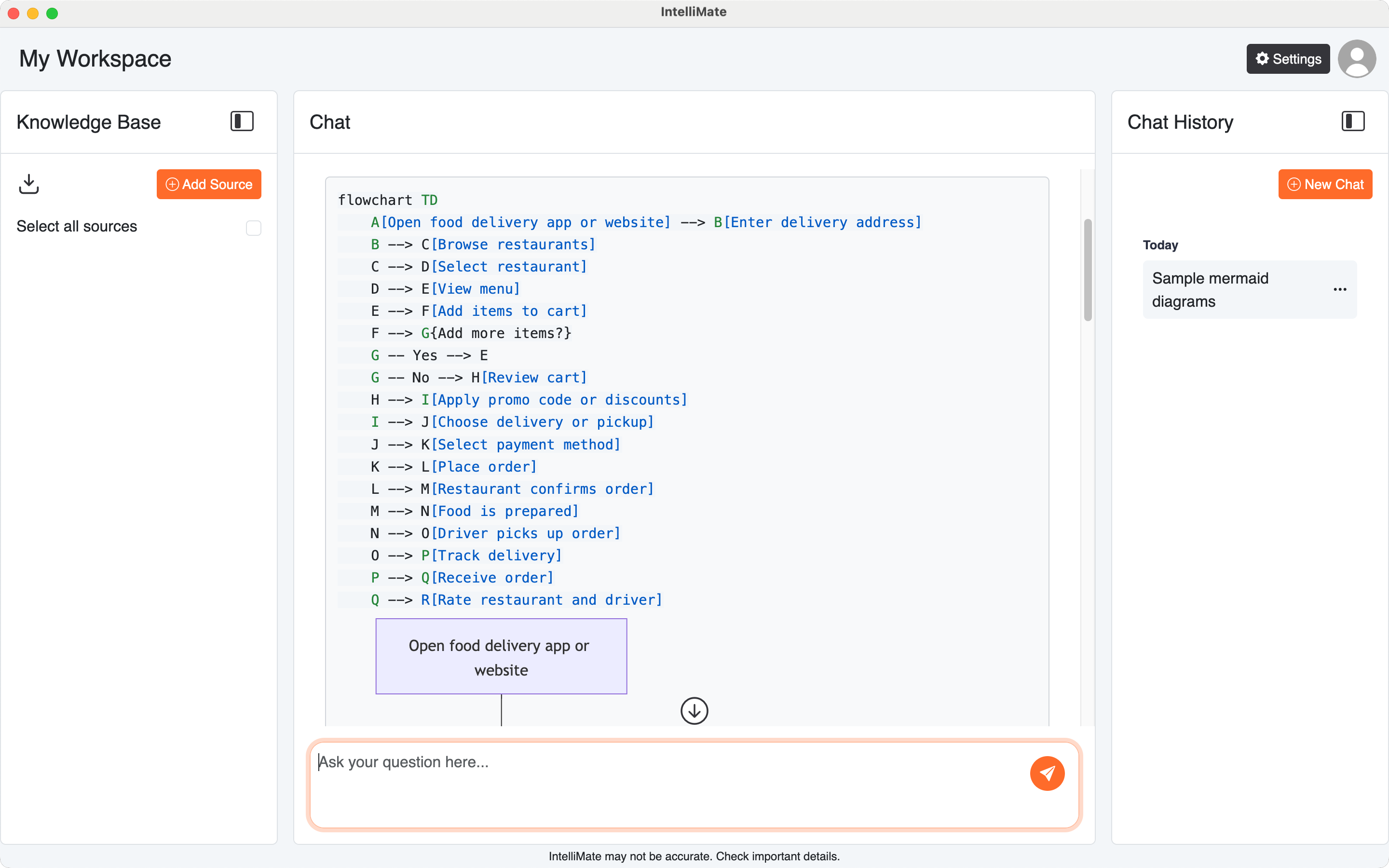
Sequence diagram examples
- Draw a Mermaid sequence diagram for booking a flight online.
- Create a Mermaid sequence diagram for sending a message in a chat app.
- Show a Mermaid sequence diagram for placing an order in a food delivery app.
- Draw a Mermaid sequence diagram for booking a hotel room online.
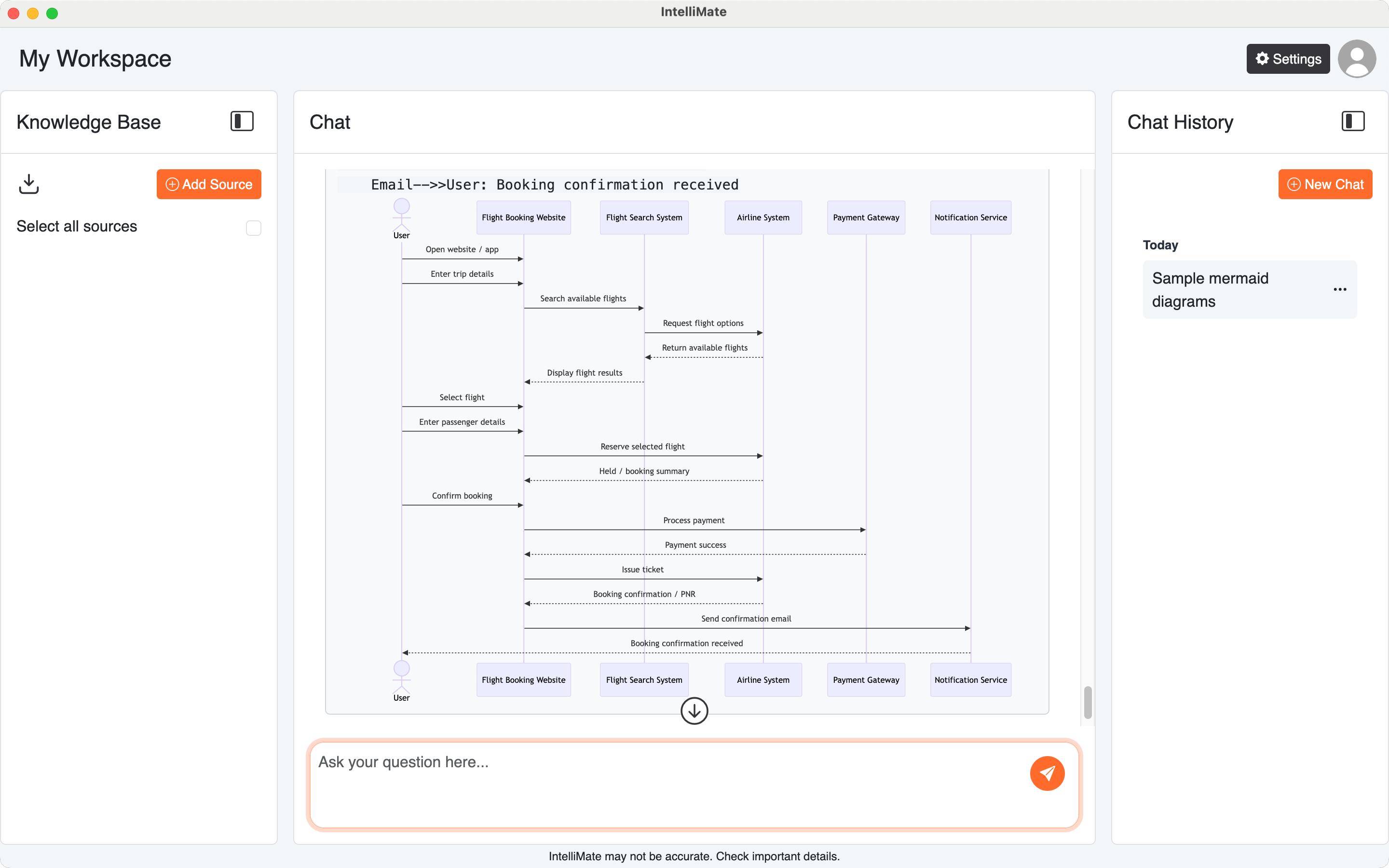
Other simple examples
- Create a Mermaid timeline for a product launch.
- Draw a Mermaid user journey for buying movie tickets online.
- Show a Mermaid ER diagram for a simple library database.
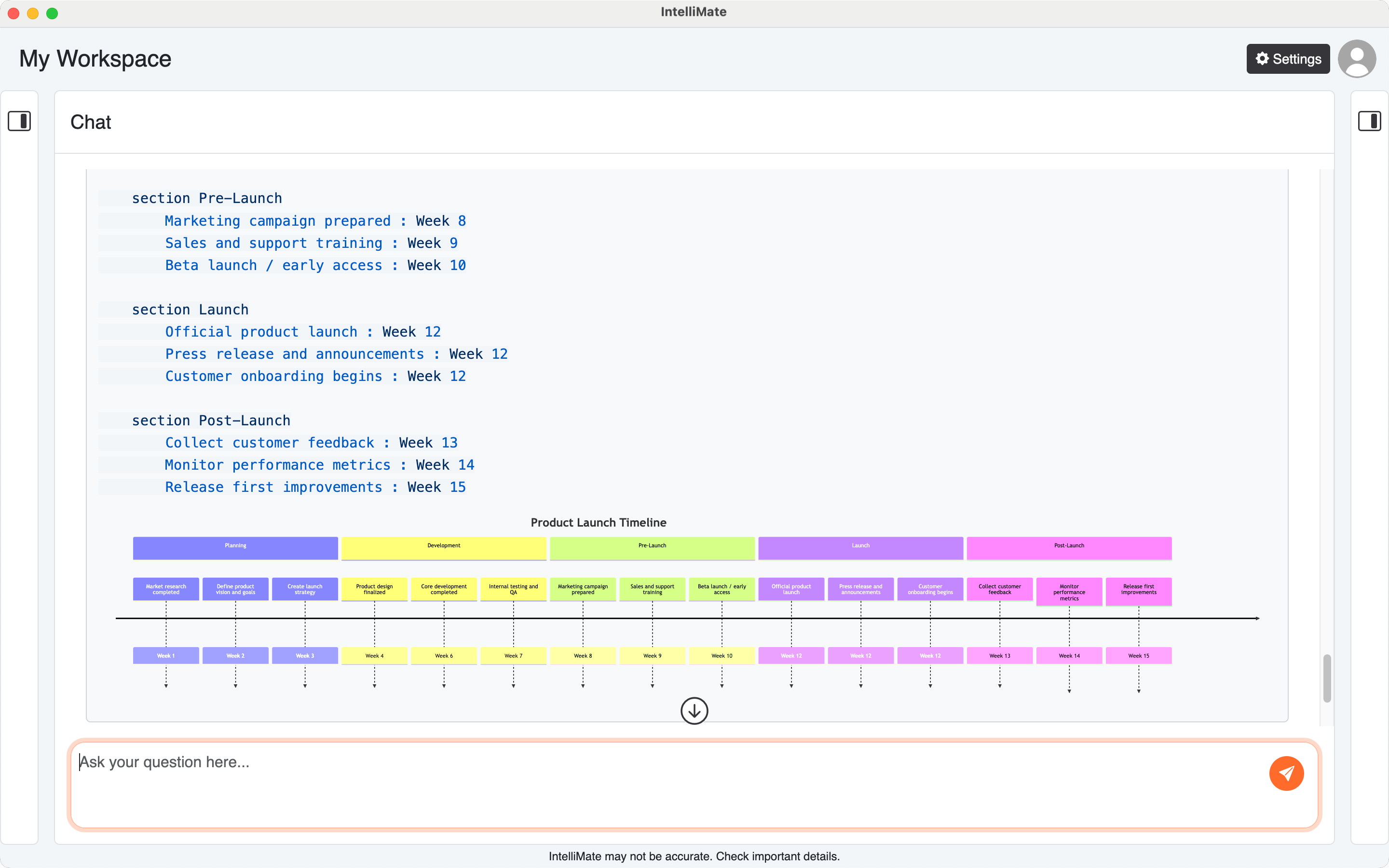
6. Why this is useful
Mermaid diagrams make AI responses easier to understand when IntelliMate:
- explains a process visually instead of only in paragraphs
- shows how people, systems, or services interact
- helps you plan a workflow, project, or structure
- turns abstract ideas into something easier to review
This can be useful for both technical and non-technical users who prefer visual explanations.
7. Tips for better diagram results
- Ask specifically for a Mermaid diagram if you want that format
- Name the diagram type you want, such as flowchart or sequence diagram
- Describe the key steps, actors, or stages clearly
- Start simple, then ask IntelliMate to refine or expand the diagram
For more on how IntelliMate displays AI output, see AI responses.